Tools and dataYour tools don’t talk to each other? Your business pays the price.
A quote typed into the CRM, an order copied into the management software, stock updated somewhere else and a spreadsheet to stitch it all together: each tool was chosen to help one department, but together they sometimes make collective work harder. Kopus helps you get the right information to the right place, without starting from scratch every time.
Before / afterThe same tools, but a single version of each piece of information
Connecting software does not mean synchronising everything with everything. Each piece of information gets one reference source, the other tools receive it at the agreed moment, and every exchange leaves a trace the team can look up. The day an exchange fails, the rule is known in advance: nothing is overwritten, someone is told.
BeforeFour tools, several versions of the same information
One customer, two records
- Dupont & Fils
- 12 rue des Lilas
- Contact: Mr Dupont
- DUPONT ET FILS SARL
- 12, rue des Lilas, bldg B
- Contact: not filled in
Which one is the reference? Nobody knows, everyone corrects their own.
AfterOne reference source per piece of information
Exchange log
- Web order passed to management
- Stock updated on the site
- Contact unknown to the CRM: invoice put on hold, alert sent
If the exchange fails
Automatic retry, then an alert to the person in charge. No data is overwritten.
What we seeWhen your software works in isolation
The symptoms are easy to recognise: the same information exists in several versions, teams spend their time checking files, a customer has to repeat the same details to every contact. The smallest typing error spreads from one tool to the next, and nobody knows exactly which database is the reference.
These irritants do not always require replacing your CRM, your ERP or your invoicing solution. In many cases, you first need to clarify what each tool is responsible for, which data is needed and when it should be exchanged.
Our approachConnect the systems that matter, rather than multiply bridges
We map the applications, the data flows and the manual operations. We then identify the reference source for each piece of information: contact, invoice, product, availability or order status. This step avoids building a quick synchronisation that amplifies existing errors.
Depending on the environment, Kopus can rely on the available APIs, structured file exchanges, workflow automations or the development of an intermediate tool. We also define the update rules, the checks and the expected behaviour when an exchange fails.
How we workA project run step by step
We start with one priority flow, useful enough to deliver value and limited enough to be tested. We document the fields exchanged, the access needed, the special cases and the risks. A validation phase lets the teams check the data, the exceptions and the recovery in case of an incident.
Once the first flow is reliable, the other connections can be considered according to their impact. The aim is not a spectacular architecture: it is a flow of information the company can understand and operate over time.
What you gainWhat you can then steer
You get a clearer view of the path a piece of information takes and of what each system is responsible for. Teams know where to enter data, where to find it and what to do when a case does not follow the usual process.
Relevant measures may include the number of double entries removed, reconciliation errors, processing times or the number of synchronisation incidents. Their tracking is defined at the start of the project.
 Business software
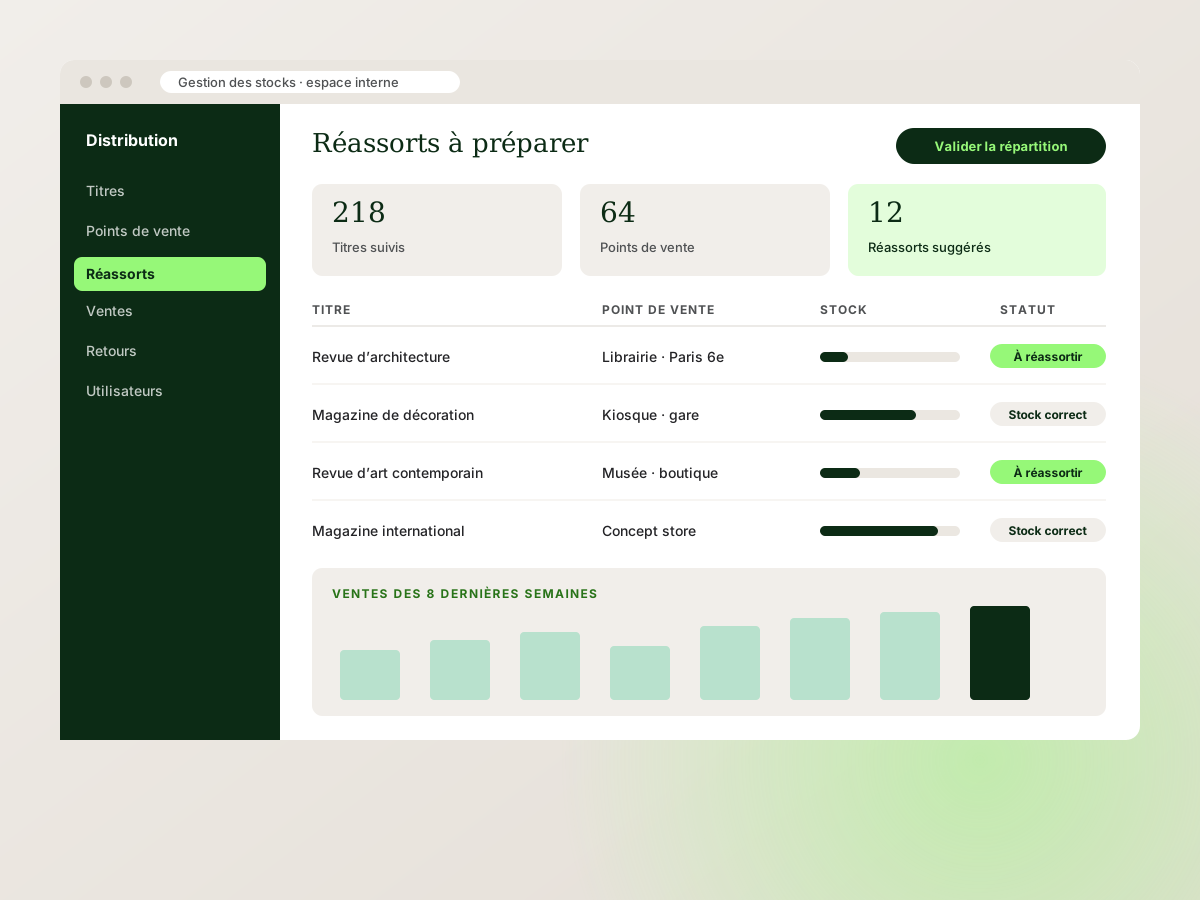
IPS Diffusion, an internal stock management interface
See the projectProjectThe kind of project we know how to build
For IPS Diffusion, a press distributor, Kopus built an internal web application that centralises the tracking of titles, stock, sales and restocking. This project illustrates how we build a tool around business data and the team’s day-to-day operations, rather than piling up files and re-keying.
Your questionsFrequently asked questions
Ask a questionDo we need to replace our current software?
No, not as a matter of principle. We first look at the connection capabilities, the reliability of the data and the cost of maintaining the existing tools. A replacement may be relevant, but it is not the starting point.
Which flow should we start with?
The one that costs the most re-keying or errors and whose data is well understood: often the link between quotes, orders and invoicing, or between the website and the management tool. A first, limited flow serves as a test before extending the connections.
How do you avoid synchronisation errors?
By setting explicit rules: source of truth, data formats, checks, logging and handling of failures. Critical flows are tested on normal and exceptional cases.
Can the tools be connected gradually?
Yes. We often favour a pilot flow, then a prioritised extension. This approach lets you learn from real usage before generalising the exchanges.
Related servicesThe services that address this challenge
- 03 · Web & softwareAPI integrationYour tools are fine; what is missing is that they talk to each other. We build the connections that move information automatically, with no re-entry, no omission, no spreadsheet in between.
- 03 · Web & softwareCustom business softwareInternal tools are rarely spectacular, but they are what saves every employee an hour a day. We design them with the people who will use them, so they are adopted from the first week.
- 03 · Web & softwareWeb application developmentWhen a spreadsheet is no longer enough and no off-the-shelf software fits the way you work, a custom web application becomes the right tool. We design it with your users, for your real workflows.
- 04 · AI & automationWorkflow automationA workflow is a sequence of steps between people and tools. When it relies on memory and emails, it seizes up. We orchestrate it so each step triggers the next, and nobody has to chase information.
- 03 · Web & softwareEmail deliverability and transactional sendingYour emails must arrive. Not in spam, not never. We authenticate your domains and centralise the sending of your websites and software on a reliable infrastructure, monitored and protected against spoofing.
Your challengesRelated challenges
My company is growing and my organisation can’t keep up
Structure your processes and tools to support your growth.
Explore this challenge Your challenges · 05I want to automate repetitive tasks
Free up time by simplifying repetitive, predictable operations.
Explore this challenge Your challenges · 10My customer service is overwhelmed
Absorb the repetitive requests and keep your advisers for the cases that matter.
Explore this challengeLet’s bring your projects to life
Your teams shouldn’t be the bridge between your software.
Describe your tools, the re-keying you see and the information that flows badly. We will look at the useful connections and how complex they are.