Practice 03 · Web, software & digital solutionsWeb application development: tools your people use from a browser
Shared files that contradict each other, an online form whose answers are retyped by hand, a makeshift client portal that never shows the right documents. When a team’s work depends on a collection of poorly connected tools, a web application provides one place, reachable from any browser, where each person sees and does what concerns them.
Feasibility and an order of magnitude within 48 hours
Our positionOur view on web applications
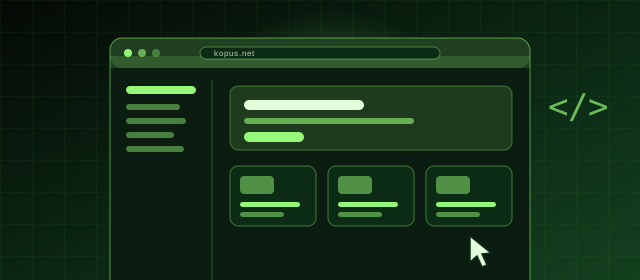
An application that tries to handle everything from day one ends up with dozens of screens nobody uses and users drifting back to their spreadsheet. We would rather ship a first version that fully covers one precise use, say service call tracking, and extend it once it has been adopted. The features that turn out to be necessary in practice are rarely those imagined at the start, and it is better to discover that on a small version than on a complete project.
Who it is for, and whenWhen a web application is the right answer
It becomes necessary when several people, some of them outside the company, must act on the same data from different places and devices.
- Customers phone you to find out the status of an order, a file or a service call, and you want to give them a space where they can check for themselves.
- Your staff enter the same data into two or three successive tools because none of them covers the whole process.
- You track indicators (sales, production, quality) scattered across several systems and want a dashboard management can consult without a manual export.
- A partner, a distributor network or field agents need to submit, approve or look up information from any device without installing anything.
Typical architectureWhat sits behind an application screen
Every click in the browser travels through several layers down to the data, then comes back with a response. Keeping them clearly apart means a screen can change without touching the business rules, a new tool can be plugged in through the API and hosting can move without rewriting the application. Security, testing and monitoring are not one more layer: they run through all of them.
- Browser
Interface
What each user sees and can do, depending on their role
- Server
API
The single entry point, checking who is asking for what
Business logic
The rules of your business, written once
Data
The model linking customers, files, orders and service calls
Infrastructure and hosting
Where the application runs, and what protects it
Security · automated tests · monitoring
Request sent by the browserResponse sent back to the screen
The scopeWhat Kopus develops in a web application
- The data model: which entities (customers, files, orders, service calls), how they relate and which validation rules apply.
- Accounts and roles: who can view, edit or approve what; authentication, user invitations and single sign-on with your company directory if needed.
- The interfaces: entry screens, filterable lists, record views, dashboards, notifications by email or inside the application.
- Connections to your ERP, CRM, invoicing tool or third-party services, reading and writing.
- An admin area to manage settings, reference lists and users without a developer.
- Hosting, backups, logging and monitoring of the application.
- Widespread web frameworks (for example React, Vue, Laravel, Django or Node.js), chosen for longevity and the ease of finding developers who know them.
What you get
- A tool that fits your processes instead of constraining them.
- Centralised, reliable, usable data.
- An application that evolves with you, at your pace.
The methodHow we run a web application project
Usage mapping
We list user roles, the actions each performs, the data they handle and the systems the application must talk to.
First-version scope
Among all use cases, we isolate those that remove the most friction and tackle them first.
Screen prototypes
The main journeys are mocked up and put in front of future users before any code is written.
Iterative development
The application is delivered in testable increments on a staging environment, with feedback at every cycle.
Deployment and observation
Go-live, training, tracking of real usage and adjustment of the next version.
Your questionsFrequently asked questions about this service
What is the difference between a website and a web application?
A website presents information to anonymous visitors. A web application lets identified users act: create, edit, approve and collaborate on data, with rights that vary by role.
Does a web application work on mobile?
It does. The interface adapts to the screen size and can be installed as a lightweight progressive web app for quick access. If native phone features are essential, a dedicated mobile app is the better option.
How does the application connect to our existing tools?
Through those tools’ programming interfaces, or through file exchanges when no interface exists. These connections are specified during scoping because they shape the data model.
Web application or installed software?
A web application is used from any browser, with no installation or updates on workstations. It is the right choice in the vast majority of cases; we will tell you if yours is an exception.
What is a web application?
Software used from a browser, with no installation, accessible from any connected workstation. It is the most common format for business tools, customer areas and service platforms.
How long does web application development take?
A useful first version in six to twelve weeks in most cases, then regular iterations. Kopus delivers early so your teams can test on real cases.
How are applications built by Kopus secured?
Robust authentication, role management, encrypted exchanges, backups, logging and regular updates. Security is part of the foundation, and we document the choices for your audits.
Go furtherPages related to this service
- Your challenges · 02My tools don’t talk to each otherStop your teams re-entering the same data in several applications.
- Practice 03Web, software & digital solutionsDesign useful, high-performing digital experiences that fit how your customers and your teams work. From the showcase website to the SaaS platform, we build tools that last.
- 03 · Web & softwareSaaS platform developmentTurning know-how into a subscription service is a business project as much as a technical one. We build SaaS platforms designed to welcome your first customers quickly, and the next ones without starting over.
- 03 · Web & softwareAPI integrationYour tools are fine; what is missing is that they talk to each other. We build the connections that move information automatically, with no re-entry, no omission, no spreadsheet in between.
Our workProjects built on this expertise
All our work
Let’s bring your projects to lifeYour next project starts here.
Let’s look at your application, its users and the data it needs to bring together.
Feasibility and an order of magnitude within 48 hours